> For the complete documentation index, see [llms.txt](https://blogs.labii.com/llms.txt). Markdown versions of documentation pages are available by appending `.md` to page URLs; this page is available as [Markdown](https://blogs.labii.com/feature-updates/2016-03-08-updated-landing-page-and-data-export.md).
# 2016-03-08 Updated Landing Page And Data Export
2016-03-08
Quick, hop on over to Labii.com and check out our new landing page! Fans of simplification and Tony Stark's JARVIS, we were inspired to create a new landing page design. Think of us as your JARVIS, always here to make your life easier and help your research in any way possible.
You'll see that we're still focussing on promoting our electronic lab notebook, we currently feel it can bring the most significant impact to accelerating research.
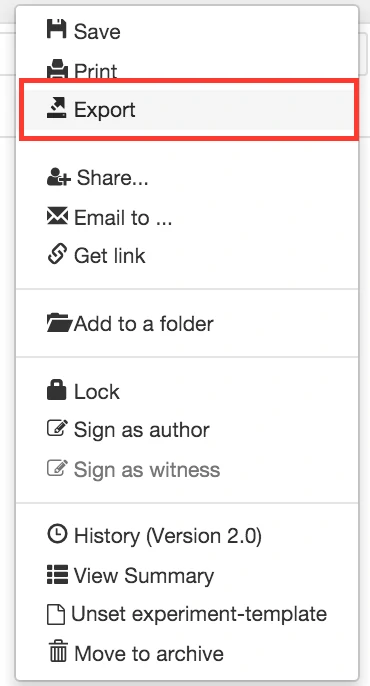
Furthermore, we've implemented a new feature. On top of daily database backups, you can now perform your own data dumps and backups. In the pursuit of complete compliance, we've added Export functionality. When a document is open, click "More" and then "Export"; we converted your document a .PDF and store it in your Files section. When a bulk data dump is performed, like when you right-click on a folder of your choice, we zip all your documents in the folder into one file and save it in your Files storage so it's locked behind our account credentials.
If you have compliance questions or requests, please reach out to us and voice your comments and concerns. As always, if you ever have any questions about us, our products, or just want to chat, feel free to call or email anytime. I'm also happy to personally walk you through our platform if you need any assistance.
Corbin Chase